Organize around the conversation
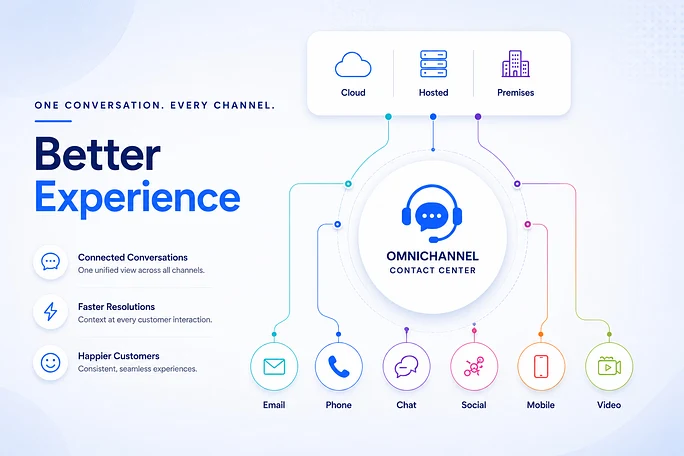
Email, SMS, social messages, real-time messengers, website chat and the self-service portal can initiate customer work in Voz360. Establish how requests are categorized, assigned and linked. Decide when a new contact belongs to an existing conversation and when it needs a separate owner.
Keep context useful at the handoff
Customer360 brings conversations, calls, live chat, voicemail, CSAT and forms into the customer view. Agents still need clear notes and accurate properties. Demonstrate a customer moving from a message to a call and verify that the receiving agent can explain the next action.
Try a message-to-call handoff
Use a sample WhatsApp query followed by a call about the same issue. Ask the receiving agent to explain the current status from available history. Check whether linking or separate ownership is appropriate, then document the chosen record-handling rule for the team.
Map what must survive a channel change
A customer who emails a delivery problem and then calls should not have to rebuild the case verbally. Define the minimum continuity record: verified identity, request reference, latest agreed action, attachments where available and the current owner. Some identifiers differ between channels; matching policy must handle uncertainty rather than silently combining unrelated people.
List the channels your team actually operates, then define intake and response expectations separately. Email, SMS, social conversations, messaging and self-service have different identity, notification and provider constraints. Confirm the exact integration and permitted interaction pattern for each deployment.
Test one request across three touchpoints
Begin with an email, add a messaging follow-up and finish with a call. Ask the agent to locate earlier work, distinguish private notes from customer-visible replies and preserve ownership through a transfer. Use the conversation's end-to-end history to explain what changed.
Repeat with an unrecognized messaging identity. The safe outcome may be a separate request pending verification rather than automatic linking. Customer360 is valuable when the record is trustworthy; a visually unified timeline with the wrong identity creates operational risk.
Decide who owns the combined backlog
Assign a service owner for requests spanning teams and channels. Review aged work by customer outcome as well as by inbox. Channel-specific response measures can otherwise reward quick acknowledgements while the underlying problem remains open.
Explore omnichannel conversations and Customer360 together. In a demo, ask which information remains visible after the channel changes, which actions need permissions and how the next agent finds the promised follow-up.
Your practical checklist
- Map channel owners
- Test cross-channel context
- Define linking rules
- Inspect the next action
Use this checklist in a workflow review with your agents, supervisors and implementation owners. Record what the team demonstrates, which decisions need an owner and what remains to be confirmed for your deployment.
Published by the Voz360 Editorial Team using the product scope supplied by the product owner. Scenarios, worksheets and diagrams are illustrative; they are not customer results or application screenshots. Configuration, carrier services, integrations and commercial terms are scoped for each deployment.